
Benimo12 2022-06-19 17:58
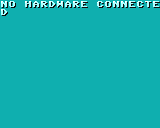
This program detects what type of hardware that is connected to your actual device (and also simulated hardware from program). For some reason, there are more hardware that can be connected than hardware that can be simulated properly which is very weird; For example, connection 3 is GAMEPAD 3 but you can’t program it into a normal BASIC program neither can it be properly used on iOS (can’t be used at all on any other platform).
This program is written using I/O states and not proper BASIC commands
SP4CEBAR 2022-06-20 12:28
Interesting
don't the IO registers refer to the virtual gamepad and keyboard? Or do they change when the IO of the actual device changes
Benimo12 2022-06-20 19:35
Yes and no: There are states to register that a device is plugged in (3,5-7) but if the connected device is properly recognized by the program, it’ll read the connected device in a usable state (1,2,4,8).
Benimo12 2022-06-20 19:45
You could still manually plug in the values to see for yourself which devices the compiler can recognize without the program demanding it.
Interestingly, the program stops itself from registering any devices on start by putting all IO states on pause. You can remove this gate to make the program register your device’s actual input system (I removed this mechanic because
A. There’s no way to check a device’s platform and
B. Even if there was, it only looks for one input system and doesn’t check for other input devices.)
The LowRes NX and LowRes Coder have a weird quirk where they can check your device’s actual states with their IO registers.
An exempted example is also how “TIMER” works with your device’s motherboard’s batteries to function properly (for some reason this isn’t part of the virtual console).
Benimo12 2022-06-20 19:52
All of this is because LowRes NX is made to be cross-platform and so, a lot of functions are left to your device’s discretion. Only 4 states can be used by my phone, some devices can use more for example, Linux can use Plug 3 while Windows can only use Plugs 1 and 2 for Gamepads.
In other words, I like to play
SP4CEBAR 2022-06-21 15:45
That's very interesting
Sylveon 2024-11-26 16:26
Wait, WHAT ?!?!? YOU CAN TEST THAT :3 !?!?!
Benimo12 2024-11-26 22:08
@Sylveon Kinda? With PEEK and POKE. I’ll need to rewrite this eventually because I want to have a test on the Linux version.
Sylveon 2024-11-26 22:10
Ok Benimo12 :3
Benimo12 2024-11-26 22:20
@Sylveon As mentioned before by me, the program CAN check for all possible HID methods. This is because LowRes NX is cross-platform across different OS bases (Linux and UNIX) and thus, different I/O methods. I could go into more detail than I did years ago.
For the Gamepad(s):
LowResNX by default uses virtual gamepads. That’s what the GAMEPAD command is for however, as is known, actual gamepads take priority over virtual gamepads. That is to say that once you attach a physical controller, the core will identify the core as the primary gamepad rather than the virtual gamepad(s). However, the command also prioritizes Physical Keyboards over virtual gamepads.
So, what does this program actually do? It cannot check currently connected HID devices but, it can check for input methods. And with this program, you can force input methods to act like other input methods. For example, the keyboard can be forced to act as a gamepad since the gamepad is what is “connected”. The virtual Keyboard can be forced to appear on iOS when the TOUCHSCREEN command is active. You can have 3 gamepads enabled on Linux when the max is supposed to be two. Hell, you can even force all Input methods to be active in tandem with one another even though normally, LowRes NX will not allow it. And, you can have the Null Input method (what this program is set to).
This can be useful for checking if connected I/O methods work or making your own custom I/O methods
Sylveon 2024-11-26 23:16
So that’s how it works :3
