Benimo12 2025-01-13 04:06 (Edited)
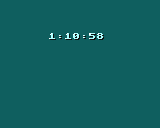
Uses the Timer Function to make a simple clock interface
‘Update: Program has been made simpler but, less readable
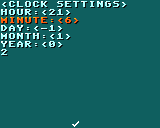
‘Update: A pause menu has been added which can be used to change the time.
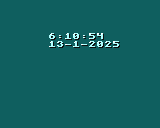
‘Update: Calendar System has been implemented. Might be a bit buggy (please report bugs if encountered), Menu bugs have been fixed and Time will no longer glitch out based on the active minute.
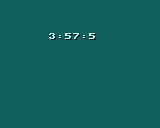
‘Update: Fixed Negative value problem and added in the Stopwatch

Benimo12 2025-01-13 04:08
This is just a quick little program. This was inspired by Washaw’s program on the original LowRes.
was8bit 2025-01-13 05:19
Oh my... i just now looked at your code... that was taking TIME DATE data and parsing it out...
I thing it can be easier working with TIMER directly... let me work up something and post it...
Benimo12 2025-01-13 09:13
I just saw your comment and I made it worse. Everything now either runs on timer or on PERSIST. That was the only way I could get global variables. The plus side is that because everything is derived from either TIMER or PERSIST, if you set the time in the menu, it automatically updates the time, even if the app is closed which I think is the closest it’ll ever get to fetching the time from your device.
was8bit 2025-01-13 14:42
Nice layout and menu :)
I see a few things though... a little pompt about the PAUSE MENU would be nice, and when setting times, it allows a negative value, which then locks you into only negative values even when you select the RIGHT direction
Benimo12 2025-01-13 15:11
Thank you, I’ll fix that on the next update!
was8bit 2025-01-13 16:54
Even if it in ZOOM OUT mode, you are close enough to the pause button that you quickly understand to tap the pause button ;)
Benimo12 2025-01-13 17:10
I like your solution but unfortunately, I added the stopwatch menu. Will implement later :)
was8bit 2025-01-13 20:18
The fun thing about lowres is that is very flexible... there are many ways of doing things...
sometimes i enjoy a challenge of creating a new way of doing something... sometimes it fails, occasionally i get cool unexpected results... but being creative with code that actually works, for me, is as much fun as playing a game ;)
was8bit 2025-01-13 20:21 (Edited)
... on the menu things... you could use one "button" that then offers to access other menus... gamepad could be used, but also dont forget you can use KEYBOARD for decision making or for data entry ;)
.... cutting in and out of KEYBOARD can be tricky... its wise to test it exhaustively to flesh out any issues, but it could offer more flesibility
was8bit 2025-01-13 20:30
Another thought... if you are planning on adding more things, i recommend getting a good idea of how you want your menu system to work, and designing so anyone who is clueless can still easily navigate back to anywhere they need to...
Also, design it with thr idea of being able to easily add more menus and more stuff without having to rewrite stuff... but have it set up where you only have to add
Like, a small calculator? Small spreadsheet? Or a timer(s): countdown or alarm? ;)
Benimo12 2025-01-13 22:12
I’m confident that I have the ideal UI down and confident that it’s easy to navigate. I like the use of the PAUSE system because it reminds me of those old LCD wristwatches which used 1 button for navigation and the other buttons to mess around with the current screens
was8bit 2025-01-13 22:21
Sounds cool :)