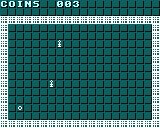
Troyer_05 2025-06-19 19:11
Made first Graühics but still hard for me to understand. I cant even get how to display the background
wryhode 2025-06-19 20:15 (Edited)
to display the background you make in GFX Designer, you can simply add: BG COPY 0, 0, 31, 31 TO 0, 0. You should take a look at the graphics section of the manual here
was8bit 2025-06-19 21:12 (Edited)
There are 2 BG layers... BG 1 is below and BG 0 is above...
I put your game GRAPHICS on BG 1 and game STATISTICS BG 0, which is good practice to allow your game graphics to scroll while your stats remain, and the one wont interfere with the other...
was8bit 2025-06-19 22:32
If you wish to use sprites its best to make everything sprites...
... for your arena, you can manually restrict sprite movement
Sprites cannot detect cell images on the backgrounds... you can use tricks to do it, but it isnt easy ...
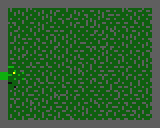
was8bit 2025-06-19 22:48 (Edited)
Remember, cell images are 8x8 pixels, and they register even if they are entirely blank
However, sprites only register if they contain colors 1,2,3... color 0 registers as blank and doesnt count when determining if one sprite touches another sprite
My "trick" on microman, reads all nearby cells, creates test sprites using the cell graphics, performs a test on the test sprites, then removes the test sprites and replaces the original cell images... this is done constantly as microman moves..
was8bit 2025-06-21 14:18 (Edited)
Simplest approach...
Background CELL graphics and SPRITE graphics do not use the same coordinates,
Cell graphics use blocks of 8x8 pixels, and are placed as one whole image into a background (BG 0 or BG 1) and CELL 0,0 will be the top left corner coordinate
Sprite graphics are processed by individual pixels, and "float" rather than being put into a background... therefore, sprite graphics are positioned by the number of PIXELS ...
So if you wanted a cell graphic and a sprite graphic to be placed on top of each other... CELL 2,2 and SPRITE 16,16 will perfectly align their upper left corners together...
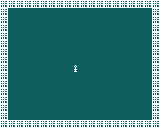
was8bit 2025-06-21 14:34
To add to the complexity, PRIORITY setting determines if sprites will be seen IN FRONT of background graphics, or BEHIND background graphics... i tend to not use them as it can be confusing, but if you want specific effects, it is very useful
was8bit 2025-06-21 14:37 (Edited)
Sprites layer over each other based on #... SPRITE 0 will always be shown above all other sprites, and SPRITE 63 will always be shown under all other sprites
was8bit 2025-06-22 15:19 (Edited)
I would encourage you to try to make a very simple game using only cell graphics...
Try a simple game with walls, items to pick up, and one enemy to avoid
You will use CELL X,Y,graphic# to add an image
You will use CELL X,Y,0 to remove an image
So movement will require removing the image where you were, and adding an image where you go...
For the moment, dont worry about BG or scores or anything else...focus only on being able to manipulate the images using CELL
To "read" what image# is at a certain location, use...
IMAGENUM=CELL.C(X,Y)
And IMAGENUM wil let you know what the image# is at a certain location.... a result of 0 means that spot is empty, a result >0 means something is there...
It would be helpful having a list of what image# represents what